
How it works
See it
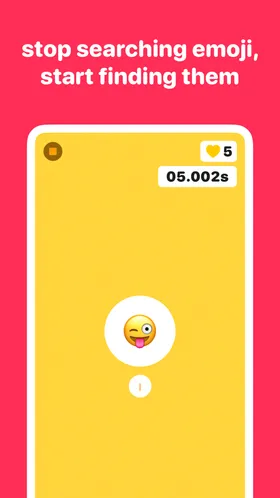
Emojym shows you an emoji. The clock is already ticking — a ring counts down around it.
Find it
Race through your keyboard to type it before the timer runs out. Three lives, no mercy.
Get faster
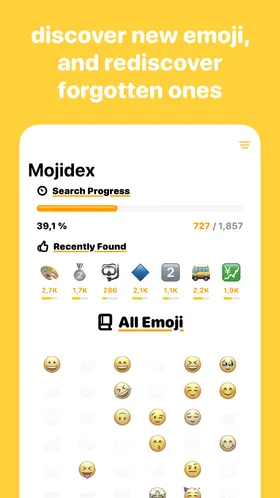
Levels pull from a growing emoji pool, so every run stretches your vocabulary and your speed.
Inside the gym
Emoji guides
Meanings, shortcuts, and speed tricks — useful with or without the app.
- Emoji for Common Phrases: A Practical Cheat Sheet
The emoji people actually use for common phrases — thank you, on my way, congrats, no worries — plus combos and the idioms emoji express best.
- Emoji Meanings Explained: How to Actually Learn Them
Common emoji meanings explained — including the ones everyone gets wrong — plus a method to actually remember them instead of looking them up.
- Emoji Quiz With Answers: 15 Rounds to Test Yourself
A free emoji quiz with answers — guess names, meanings, and phrases across 15 rounds, then find out how to keep playing every day.
- Emoji Shortcuts and Text Replacement on iPhone & Mac
Set up emoji shortcuts with text replacement on iPhone and Mac: type a trigger, get an emoji. Setup steps, good trigger patterns, and limits.
- Guess the Emoji Daily Challenge: Play One Every Day
Looking for a guess the emoji daily challenge? Why daily emoji games hook people, what makes a good one, and where to play a fresh round every day.
- How to Find Emoji on iPhone Keyboard (Fast)
Every way to find emoji on the iPhone keyboard: search, categories, frequently used, predictive suggestions, and word-to-emoji replacement in Messages.
- How to Improve Your Emoji Vocabulary
Most people use the same 20 emoji forever. Here's how to improve your emoji vocabulary with deliberate practice — and why it makes your texts better.
- How to Type Emoji Faster: Every Trick That Works
Practical ways to type emoji faster on iPhone: keyboard search, predictive suggestions, text replacement, and training your recall.
Frequently asked questions
How can I type emoji faster?
Speed comes from knowing where emoji live: master search, learn category positions, and train recall. Emojym turns that training into a game — find the shown emoji as fast as you can, level after level.
How do I learn what emoji actually mean?
The fastest way is spaced exposure: see an emoji, guess its name, get corrected. That’s exactly Emojym’s loop — you’ll stop confusing 😤 with anger (it’s triumph!) in a week of two-minute sessions.
Is there a daily emoji challenge?
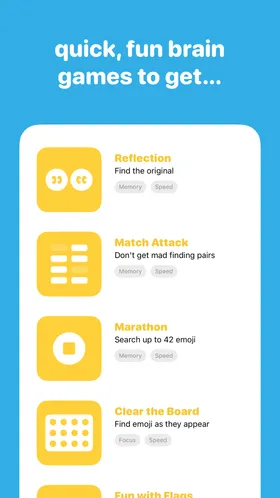
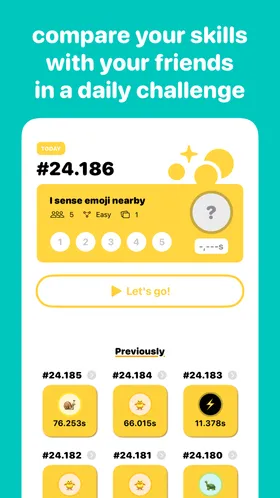
Yes — Emojym gives you fresh rounds every day, and each run is short enough for a coffee break. Compete against your own best time and keep your reflexes sharp.
How do I find an emoji on the iPhone keyboard quickly?
Use the search field in the emoji keyboard, or type the word in your message and tap the emoji suggestion. For everything else — muscle memory. My guide covers every shortcut iOS gives you.
Can Emojym improve my emoji vocabulary?
That’s the whole point: each game pulls from a growing pool of emoji, so you keep meeting ones you’ve never used. More vocabulary, faster fingers, better texts.
Is Emojym free?
Emojym is free to download on iPhone, iPad, and Mac. Sharpen your skills, be faster.
Your thumbs called. They want a workout. 💪
Free to download on iPhone, iPad, and Mac.